
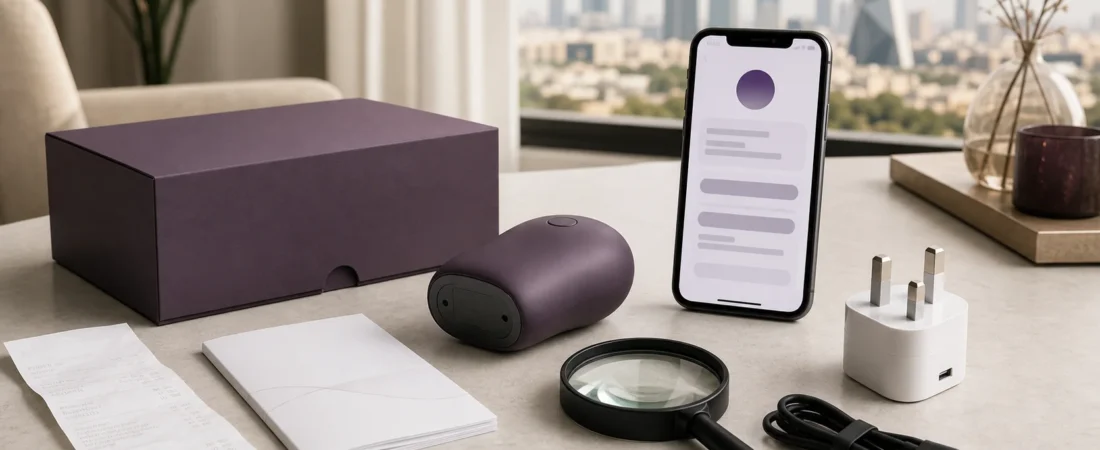
A safety notice is written for a defined group of products, not for every device that looks similar. The affected group may be narrowed by brand, model number, date code, batch, serial range, retailer, or purchase period. Sometimes several of those details must match.
That distinction matters when a notice is shared without its identifying table. A photograph in a social post may resemble your device while the model, electrical design, or production run is different. The reverse can also happen: an affected item may be sold under an unfamiliar marketplace title while the model number still matches the official notice.
This guide explains how to check a product recall or safety notice against the item you own. It applies to rechargeable private wellness products and powered accessories, but it does not diagnose a defect or decide whether a regulator’s notice applies in a particular jurisdiction. Use the complete official notice and the manufacturer’s instructions.
Why model-by-model checking is in the news
Official recall databases are active records, not static archives. The U.S. Consumer Product Safety Commission listed new recalls and product-safety warnings on 23 July 2026, while the UK Office for Product Safety and Standards continued publishing electrical-product reports during July. The products covered ranged widely, but the notices shared one practical feature: they identified affected items through concrete details rather than appearance alone.
A 2026 CPSC battery-charger recall, for example, identified model T400 and explained that some units might not show the expected brand name. A UK report for an electric toothbrush charger listed model WY-3757 together with marketplace identifiers and an SKU. These notices do not concern Laylati products. They show why the label, order record, and seller information should be checked together.
1. Start with the complete official notice
Open the notice on the regulator’s website or the manufacturer’s official support page. Do not rely on a cropped screenshot, forwarded message, marketplace comment, or headline that omits the identification section.
Confirm the notice date, product name, issuing authority, affected identifiers, hazard summary, and instructed action. Official records can be updated as remedy availability or company details change, so revisit the live page instead of treating an old screenshot as final.
Useful starting points include the CPSC recall search and the UK OPSS product-safety database. For a Saudi order, the Saudi Ministry of Commerce also provides consumer guidance and a commercial-report service. A foreign notice may still help identify a product, but its remedy, contact route, and legal scope can be jurisdiction-specific.
2. Find the identifier on the device, not just the box
Look for a model number, item number, serial number, date code, batch, or other identifier on the device itself. It may be printed on the base, near a charging port, under a removable cover, on a controller, or on a permanently attached label. Do not dismantle a sealed product to search for it.
The CPSC’s recall guidance gives a straightforward example: consumers may be told to check a label on the bottom for the model number and date code. That is more precise than comparing colour or shape.
Before first use, it is sensible to photograph the label and keep the image with the order record. Avoid posting a serial number publicly. If you need support, send only the details necessary through a private channel.
3. Compare every required field
Read the identification table literally. If a notice specifies a brand, model, date-code range, and sales period, do not stop after one match. Record each field and compare them one by one:
- Brand or importer: Does the printed name match, including spelling?
- Model or item number: Is the full string identical?
- Serial, batch, or date code: Does it fall within the listed range?
- Marketplace identifier or SKU: Does the order page show the same code?
- Retailer and sales period: Was it sold through the named channel during the stated dates?
- Physical marker: Does the notice describe a label location, connector, colour, or other distinguishing feature?
A partial match is a reason to continue checking, not proof that the product is affected. Laylati’s product-details guide explains why product photographs, included parts, and the listing should agree before purchase. The same discipline is useful later when reading a safety notice.
4. Use the order record to resolve seller and date
The device label may not identify the marketplace seller or purchase date. Check the invoice, order email, account history, or payment record. Save the product-page URL and a screenshot of the listing if it is still available.
Seller names can be confusing. A marketplace storefront, legal importer, manufacturer, and payment descriptor may all be different. Compare the exact names used in the official notice rather than assuming that one trading name represents the whole supply chain.
Keep private details out of public comments. An order number, delivery address, phone number, or payment reference is rarely needed to ask a general identification question. Use private order support when a Laylati order record needs to be checked.
5. Check the accessory separately
A notice may cover a charger, wall adapter, cable, controller, or battery rather than the main device. Match the accessory’s own model and label. Do not assume that an accessory is included or excluded simply because the device body looks different from the notice photograph.
This is particularly important for rechargeable products. The device, USB cable, and wall adapter are three separate items with different identifiers and specifications. Laylati’s charging checklist sets out the battery, cable, adapter, port, and indicator details to confirm before connecting power.
6. Distinguish a recall from other safety actions
Not every official entry is a consumer recall. A database may describe a product-safety report, border rejection, listing removal, modification programme, warning, or recall from end users. Read the action field before assuming what the seller or owner must do.
The UK OPSS guidance separates recalls from other corrective measures. The CPSC database likewise records remedies such as refund, repair, or replacement. Follow the action stated for the exact product and market; do not invent a remedy based on another notice.
A store return policy and a safety remedy are also different. The Laylati warranty and return-policy guide explains why a normal return window, product warranty, and paid protection should not be treated as one promise.
7. If the identifiers match, follow the notice exactly
Use the official instructions for stopping use, disconnecting power, storing the item, contacting the responsible company, and obtaining the stated remedy. Do not continue using a product merely because it appears normal if the notice says affected units should stop being used.
Do not throw a rechargeable product or battery into general waste unless the official instruction and local disposal rules allow it. Do not mail a battery or damaged electrical item without an approved return method. If the notice asks for photographs, remove unrelated personal information from the frame.
If the identifiers are unclear, contact the named manufacturer, importer, retailer, or authority with the model, date code, purchase date, and a clear label photograph. Ask a narrow question: “Does this exact identifier fall within the affected range?”
8. If the identifiers do not match, keep a record
A non-match does not require speculation. Save the notice URL and a photograph of your product label, then record which fields differed. If the official page is updated later, you can repeat the comparison without starting from memory.
Continue to follow the product’s own instructions and stop using it if there is visible damage, swelling, overheating, an unusual smell, or another condition the manual identifies as unsafe. A recall search is not a substitute for inspecting the item you actually own.
A concise recall-check worksheet
- Source: Is this the complete notice on an official website?
- Product: Does the brand and full model number match?
- Production: Does the serial, batch, or date code match?
- Sale: Do the retailer, marketplace code, and sales dates match?
- Accessory: Is the notice about the device, charger, cable, controller, or battery?
- Action: Is it a recall, warning, repair, refund, modification, or another measure?
- Privacy: Can you ask for help without posting order or serial details publicly?
- Record: Have you saved the live notice, label image, and comparison result?
For a product you are still considering, browse all Laylati products and open the individual listing before ordering. The model, included parts, care notes, and support route should be clear enough to identify the item later.
Sources
- U.S. Consumer Product Safety Commission, recalls and product-safety warnings database
- U.S. CPSC, recall identification questions and answers
- U.S. CPSC, 2026 model T400 battery-charger recall
- UK OPSS, product-safety report identifying charger model WY-3757
- UK OPSS, product recalls and alerts guidance
- Saudi Ministry of Commerce, commercial-report service
- Saudi Ministry of Commerce, consumer rights and responsibilities guide